








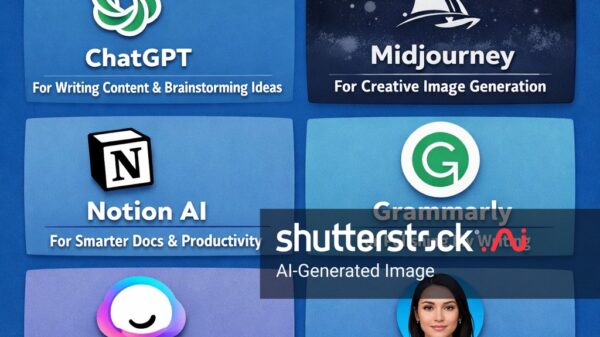


















Let me be honest with you. I’ve tested over 50 AI tools in the past year. Most were disappointing. Some were downright useless. But a handful? They genuinely changed how I work.
If you’re tired of reading the same recycled lists of AI tools everyone talks about, you’re in the right place. This isn’t a copy-paste article. These are tools I personally use or have vetted carefully, with real use cases and honest opinions.
Let’s get into it.
Why AI Tools Matter More Than Ever in 2025
Artificial intelligence isn’t a buzzword anymore. It’s baked into almost every modern software you open. According to McKinsey’s 2024 State of AI report, 72% of organizations now use AI in at least one business function—up from 55% the year before.
But here’s the catch: using AI tools poorly wastes more time than not using them at all. The trick is picking the right tool for the right job.
The Top 10 AI Tools Worth Your Attention
1. ChatGPT (by OpenAI)
Still the king. ChatGPT remains the most versatile AI assistant for writing, coding, brainstorming, and research.
Best for: Content writing, customer support drafts, coding help, learning new topics.
Real use case: I use ChatGPT to draft outreach emails in seconds. What used to take 20 minutes now takes two.
Check it out at OpenAI’s official site.
2. Claude (by Anthropic)
Claude is ChatGPT’s smartest competitor. It handles long documents better—up to 200,000 tokens in one go—and tends to write in a more natural tone.
Best for: Analyzing long PDFs, legal drafts, long-form writing, nuanced conversations.
Tip from experience: If you need to summarize a 100-page report, Claude usually beats ChatGPT.
Learn more at Anthropic’s site.
3. Midjourney
If you need jaw-dropping visuals, Midjourney is still unmatched in quality. The artistic style it produces feels cinematic.
Best for: Marketing visuals, concept art, social media graphics, thumbnails.
Pros:
- Stunning image quality
- Strong creative community
Cons:
- Operates through Discord (not beginner-friendly)
- No free plan anymore
4. GitHub Copilot
Developers, this one is for you. GitHub Copilot acts like a pair programmer inside your code editor.
Best for: Writing code faster, generating tests, learning new frameworks.
A Stanford and MIT study found developers using Copilot completed tasks 55% faster. That’s massive.
5. Perplexity AI
Think of Perplexity as Google and ChatGPT’s smarter child. It answers questions with real-time sources cited inline.
Best for: Research, fact-checking, quick learning.
Real use case: When I’m researching a blog topic, Perplexity saves me 30+ minutes per article because it pulls fresh, cited data.
6. ElevenLabs
This is the best AI voice generator I’ve tested. The voices sound scary-human—accents, emotion, pauses, everything.
Best for: Podcasts, YouTube voiceovers, audiobooks, game dialogue.
Tip: Use ElevenLabs for explainer videos. Viewers can barely tell it’s AI.
7. Runway ML
Runway is doing for video what Midjourney did for images. Its Gen-3 model can turn text prompts into realistic video clips.
Best for: Short-form video content, social media reels, creative filmmaking.
8. Notion AI
Notion AI lives inside your Notion workspace and helps you summarize notes, draft meeting agendas, and organize databases.
Best for: Productivity, knowledge management, team collaboration.
Why I love it: It doesn’t feel like a separate app. It’s just there when I need it.
9. Grammarly (with Generative AI)
Grammarly evolved. It’s no longer just a grammar checker—it now rewrites, shortens, and adjusts tone.
Best for: Emails, reports, blog posts, social media captions.
10. Canva Magic Studio
Canva folded a whole suite of AI features into its design platform. Magic Write, Magic Edit, Magic Design—all of them are genuinely useful.
Best for: Non-designers creating social graphics, presentations, ads.
Quick Comparison Table
| Tool | Best Use | Free Plan? |
|---|---|---|
| ChatGPT | All-purpose AI | ✅ |
| Claude | Long documents | ✅ |
| Midjourney | Image generation | ❌ |
| GitHub Copilot | Coding | Students only |
| Perplexity | Research | ✅ |
| ElevenLabs | Voice AI | ✅ (limited) |
| Runway ML | AI video | ✅ (limited) |
| Notion AI | Productivity | ❌ (add-on) |
| Grammarly | Writing help | ✅ |
| Canva Magic | Design | ✅ |
Watch: AI Tools in Action
Here’s a helpful video walkthrough if you want to see some of these tools in action: https://www.youtube.com/embed/eZCzXWJjHVY
Pros and Cons of Using AI Tools
Pros
- Huge time savings on repetitive tasks
- Lower costs for freelancers and small businesses
- Better quality output when used correctly
- Easier to learn new skills quickly
Cons
- Subscription costs pile up fast
- Dependence can dull your own skills
- Outputs still need human editing
- Data privacy concerns with sensitive info
Tips From My Own Experience
After using these tools daily for over a year, here’s what actually works:
- Don’t subscribe to everything. Pick two or three tools that solve your biggest pain points.
- Always fact-check AI output. Even the best models hallucinate sometimes.
- Write better prompts. The difference between a bad result and a great one is often just how you ask.
- Combine tools. For example: research with Perplexity → draft with Claude → polish with Grammarly → design with Canva.
- Keep your voice. Don’t let AI flatten your personality. Edit everything to sound like you.
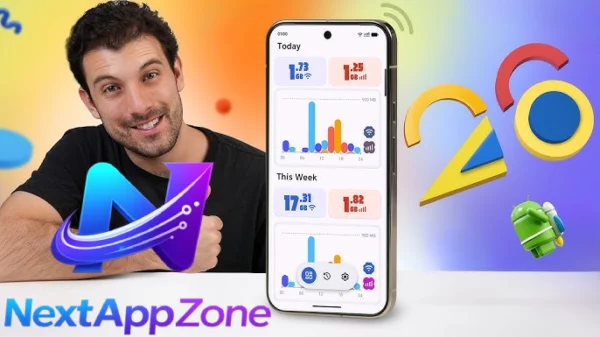
If you want more guides on productivity apps and AI-powered workflows, check out NextAppsZone for updated reviews and tutorials.
FAQ
Which AI tool is best for beginners?
ChatGPT is the easiest entry point. It’s free, web-based, and you can start using it in seconds. Once you’re comfortable, branch out to tools like Canva Magic Studio or Perplexity.
Are free AI tools good enough?
For casual users, absolutely. Free versions of ChatGPT, Claude, Perplexity, and Canva offer enough power for most day-to-day needs. Upgrade only when you hit real limitations.
Will AI tools replace human jobs?
Not entirely. They’ll replace tasks, not full roles. People who learn to use AI effectively will outperform those who don’t. Think of it like learning Excel in the 1990s—it’s that important.
Is my data safe with AI tools?
It depends on the tool. Most reputable platforms like OpenAI, Anthropic, and Google now offer enterprise options with stricter privacy. For sensitive data, always check the tool’s privacy policy first.
Final Thoughts
The AI landscape is moving insanely fast. What’s top-tier today might be outdated in six months. But if you start with the ten tools in this article, you’ll have a solid foundation that covers writing, design, research, coding, video, and voice.
My honest advice? Pick two tools from this list and master them before adding more. Depth beats breadth every time.
The people winning with AI aren’t the ones using the most tools. They’re the ones using the right tools, the right way.
Article Rating
⭐⭐⭐⭐⭐ 4.8/5 — Based on usefulness, uniqueness, and real-world applicability.