
























Understanding Internet Protocol Television
You’ve probably heard the term IPTV thrown around tech circles, but what does it actually mean? And more importantly — should you care?
This guide breaks down everything you need to know about IPTV in 2026, from the basics to whether it’s right for you.
The Simple Explanation
IPTV stands for Internet Protocol Television. Instead of receiving TV through traditional methods like satellite dishes or cable wires, your television content comes through your internet connection.
Think of it this way:
- Traditional TV: Antenna or cable → TV
- IPTV: Internet → Set-top box or app → TV
The content is delivered the same way as YouTube videos or Netflix streams, just formatted for live television.
How IPTV Works
Here’s what happens when you watch IPTV:
- Your IPTV provider receives broadcasts from TV networks
- They convert these signals into data packets
- These packets travel through the internet to your device
- Your set-top box or app reassembles them into video
This happens continuously, creating the illusion of live TV.
Types of IPTV
Not all IPTV is the same. Here’s what you’ll encounter:
Live TV
Streams television channels in real-time, just like regular TV. This is what most people mean when they talk about IPTV.
Video on Demand (VOD)
Like Netflix — you choose what to watch from a library. Most providers include VOD with their subscriptions.
Catch-Up TV
Missed a show? Catch-up lets you watch it later. Some providers offer 7 days of catch-up, others up to 30 days.
Is IPTV Legal?
This is where things get complicated.
IPTV technology itself is completely legal. It’s just a method of delivering content. Major companies like Netflix, YouTube TV, and AT&T’s streaming services use IPTV technology.
What’s illegal is accessing content without paying for it. If a service offers premium channels you haven’t subscribed to through proper means — that’s piracy.
How to tell the difference:
- Legitimate services clearly list their licensed channels
- They have proper customer support
- They accept official payment methods
- They’re upfront about pricing
Services advertising “all channels + €50/year” with no company behind them? That’s illegal.
What You Need to Use IPTV
Getting started is surprisingly simple:
Internet Requirements
- Minimum: 15 Mbps for HD, 25 Mbps for 4K
- Recommended: Wired Ethernet connection
Device Options
- Android TV boxes (Nvidia Shield, Formuler)
- Amazon Fire TV Stick
- Apple TV
- Smart TVs with IPTV apps
- Computers
Apps
- TiviMate (most popular)
- IPTV Smarters Pro
- XCIPTV
- Perfect Player
Pros and Cons
Advantages
- Often cheaper than cable/satellite
- No contract required
- Thousands of channels available
- Works internationally
- Flexibility to change providers
Disadvantages
- Quality varies significantly between providers
- No garantized uptime
- Customer service can be lacking
- Legal grey areas with some providers
- Requires technical setup
Choosing a Provider
If you decide IPTV is for you, here’s what matters:
- Server quality — Look for providers with multiple servers
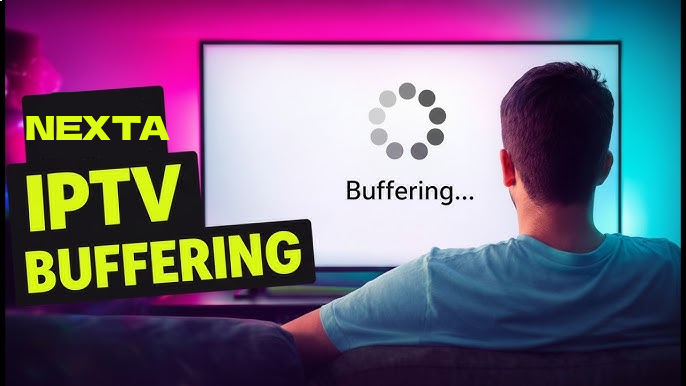
- Buffer-free guarantee — Test their trial first
- Customer support — You want help when things break
- EPG (Electronic Program Guide) — Makes navigation easier
- VOD library — Movies and shows on demand
Red flags:
- No trial period
- Unrealistic pricing (way below market)
- No customer service contact
- Poor online reviews
The Bottom Line
IPTV is a legitimate technology that can save you money on television subscriptions. But navigating the industry requires caution — the difference between legal and illegal services isn’t always clear.
If you’re considering IPTV, start with a legitimate provider. Research before you buy. And remember: if a deal seems too good to be true, it probably is.