










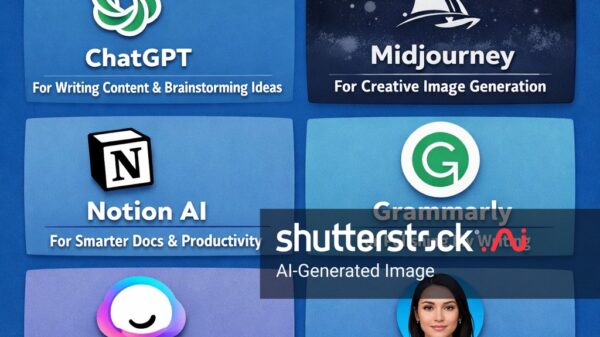
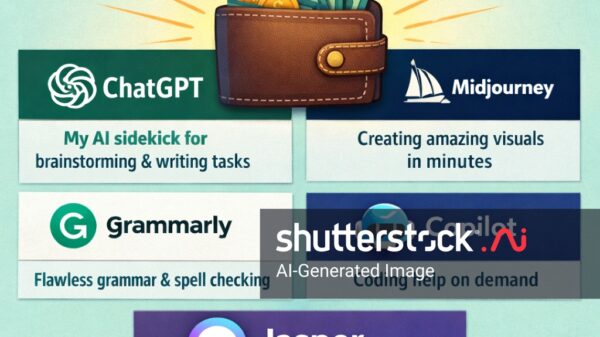























The artificial intelligence landscape in 2026 has evolved dramatically from the experimental tools of just a few years ago. What once required technical expertise and steep learning curves now welcomes newcomers with intuitive interfaces, generous free tiers, and immediate practical value. For beginners stepping into the world of AI for the first time, the sheer number of options can feel overwhelming. Which tool should you start with? Do you need to pay for premium features? How do these tools actually help in your daily life?
This comprehensive guide cuts through the noise to focus on the AI tools that genuinely deliver value for beginners. We’ve evaluated dozens of options based on ease of use, quality of output, free tier accessibility, and practical application for common tasks. The seven tools highlighted here represent the strongest entry points for anyone looking to incorporate AI into their workflow, whether you’re a student, professional, creator, or simply curious about what modern AI can do.
The good news for beginners is that you don’t need to spend money to get started. Every tool on this list offers a free tier with meaningful capabilities. Premium subscriptions unlock higher usage limits and more powerful models, but the free experience remains genuinely useful—a refreshing change from the “free with severe limitations” approach common in earlier years.
Understanding AI Tool Categories
Before diving into specific recommendations, it helps to understand the main categories of AI tools available today. General-purpose AI assistants handle a wide variety of tasks including writing, research, coding, and creative brainstorming. These tools work like intelligent conversation partners you can ask almost anything. Writing and editing tools focus specifically on improving your written content, from grammar checking to stylistic refinement. Research AI specializes in finding and synthesizing information with source citations. Visual AI tools help create images, presentations, and designs without requiring artistic skills. Each category serves different needs, and many users eventually combine multiple tools to create a personal AI workflow.
ChatGPT: The Best All-Around Starting Point
Why Beginners Love It
ChatGPT remains the most widely recognized AI tool and for good reason. Its strength lies in remarkable versatility—you can use it to brainstorm business ideas, explain complex topics, write emails, debug code, practice language skills, or simply satisfy curiosity about any subject. For beginners, this breadth means you can start exploring AI with whatever task brought you here, without needing to understand what type of AI you’re using.
The interface is straightforward: you type a message, receive a response, and continue the conversation as needed. There’s no steep learning curve, no complex menus to navigate, and no need to understand how the underlying technology works. This accessibility has made ChatGPT the default entry point for millions of people discovering AI for the first time.
What You Can Do With It
ChatGPT excels at transforming rough ideas into polished outputs. Give it a handful of bullet points about a project, and it can expand them into a full presentation outline. Describe symptoms you’re experiencing with a piece of software, and it can help troubleshoot the issue. Ask it to explain a concept in simpler terms, or request a more advanced breakdown depending on your current knowledge level.
The free tier now includes access to capable models with usage limits, meaning you can experiment extensively before deciding whether the paid Plus subscription at twenty dollars monthly offers enough value to justify the cost. Plus subscribers enjoy higher message limits and access to the most powerful models for complex tasks.
Potential Limitations
ChatGPT’s broad capabilities sometimes come at the cost of specialized depth. For highly technical coding tasks or academic research requiring precise citations, other tools may serve better. The free tier’s message limits can also feel restrictive during heavy usage periods, particularly during peak hours when the service manages high demand.
Claude: The Thoughtful Writer’s Companion
Why Beginners Love It
Claude has carved out a distinctive reputation as the AI assistant that produces the most natural, nuanced writing. Where some AI tools can sound robotic or formulaic, Claude maintains a conversational quality that feels genuinely human. This strength extends beyond creative writing into business communications, essays, and any context where tone and nuance matter.
The tool also shines with longer documents. Claude’s generous context window allows it to process and maintain coherence across extensive texts, making it particularly valuable for tasks like summarizing books, analyzing contracts, or developing multi-chapter documents. Beginners working on substantial writing projects often find Claude’s approach more aligned with their natural thinking process.
What You Can Do With It
Claude excels at transforming scattered thoughts into structured, coherent writing. Start with rough notes or a vague concept, and Claude helps shape them into polished prose. The tool handles everything from professional emails to creative fiction, adapting its voice and style based on your instructions.
For beginners interested in coding, Claude provides thoughtful explanations alongside its code suggestions, helping you learn as you build rather than simply delivering solutions you don’t understand. This educational approach makes it particularly valuable for those using AI as a learning tool rather than just a productivity shortcut.
Potential Limitations
The free tier’s usage limits can feel restrictive, especially during peak times when access may be throttled based on demand. Claude also lags behind some competitors in real-time information access, though its web search capabilities have improved significantly. For users primarily interested in research with source citations, alternatives like Perplexity may prove more efficient.
Gemini: Google’s Powerhouse Integration
Why Beginners Love It
Gemini brings Google’s considerable AI research to bear in a product that integrates seamlessly with the Google Workspace ecosystem. If you already use Gmail, Google Docs, Google Drive, and other Google services, Gemini feels like a natural extension rather than an external tool bolted onto your workflow.
The interface will feel immediately familiar to anyone who uses Google products. This reduces the friction that often discourages beginners from adopting new tools. Gemini can access your documents, summarize your emails, help draft your Google Docs content, and pull information from your Drive files—capabilities that feel magical the first time you experience them.
What You Can Do With It
Gemini truly shines for users deeply embedded in Google’s ecosystem. It can analyze documents in your Drive, extract relevant information from Gmail threads, and help draft responses—all while maintaining context from your existing work. For students managing research across multiple Google Docs or professionals juggling numerous email threads, these integrations save significant time.
The tool also offers strong multimodal capabilities, meaning it can analyze images, videos, and audio files alongside text. Upload a diagram and ask for explanations, provide a sketch and request improvements, or analyze a video for specific content—the multimodal approach makes Gemini particularly versatile for visual learners.
Potential Limitations
Gemini’s deepest features require heavy Google integration, making it less valuable for users committed to competing platforms like Microsoft 365 or Apple products. The transition from Google’s previous Bard branding to Gemini created some confusion, and certain features remain rolling out gradually. However, the tool has matured significantly and continues improving with regular updates.
Perplexity: The Researcher’s Best Friend
Why Beginners Love It
Perplexity represents a fundamental reimagining of how we search for information. Unlike traditional search engines that return lists of links for you to explore, Perplexity delivers direct answers with source citations. Ask a question, and you receive a synthesized response explaining the answer along with clickable references to verify information or dive deeper.
This approach proves especially valuable for beginners who feel overwhelmed by traditional search. Rather than sifting through dozens of search results and evaluating which sources seem trustworthy, you get curated answers from multiple sources synthesized into coherent responses. The transparency of citations helps build information literacy while saving considerable time.
What You Can Do With It
Perplexity transforms research workflows for anyone investigating topics across any domain. Students can gather background information for papers while seeing exactly where each fact comes from. Professionals can quickly understand new industry developments without reading dozens of articles. Even casual curiosity gets satisfied more efficiently—ask about that historical event you never quite understood, and Perplexity delivers context along with paths for deeper exploration.
The tool offers both general searches and specialized modes for different use cases. Academic mode focuses on scholarly sources, while other modes optimize for different content types. This flexibility means Perplexity adapts to your needs rather than forcing you to adapt to its approach.
Potential Limitations
Perplexity excels at synthesis and research but doesn’t match the conversational depth of ChatGPT or Claude for tasks requiring ongoing dialogue, creative writing, or complex problem-solving. It’s a research tool at heart, and using it primarily for other purposes may feel like forcing a round peg into a square hole. The free tier provides generous access, but heavy researchers may eventually want the paid version for higher limits and advanced features.
NotebookLM: Learning From Your Own Materials
Why Beginners Love It
NotebookLM occupies a unique niche among AI tools—it’s designed specifically for working with materials you provide rather than general knowledge. Upload your lecture notes, research articles, interview transcripts, or any documents you’ve gathered, and NotebookLM helps you understand, summarize, and extract value from them.
This approach solves a common problem: AI tools trained on general knowledge may not have specific information relevant to your work. By grounding responses in your own materials, NotebookLM delivers insights specific to your context. The tool can’t hallucinate information about documents you’ve uploaded—it can only work with what’s actually there.
What You Can Do With It
Upload a stack of research papers, and NotebookLM can generate summaries, identify key themes, answer questions about the content, and even create study guides. The Audio Overviews feature generates AI-hosted podcast-style discussions of your materials, turning passive reading into engaging audio content you can consume while multitasking.
For students, this means transforming dense readings into accessible summaries and study materials. For researchers, it accelerates literature reviews by quickly synthesizing findings across many papers. For professionals, it helps extract actionable insights from meeting notes, reports, and other documents without re-reading everything manually.
Potential Limitations
NotebookLM only works with documents you upload, meaning it doesn’t help with topics outside your provided materials. This isn’t a general conversation tool or research engine for finding new information—it’s a focused utility for maximizing value from content you’ve already gathered. The free tier offers substantial functionality, making it an easy addition to any beginner’s toolkit.
Canva: Design Without Design Skills
Why Beginners Love It
Canva has democratized visual design by making professional-quality output accessible to anyone without formal design training. The platform combines intuitive drag-and-drop interfaces with AI-powered features that suggest layouts, generate images, and refine designs automatically. The result is that beginners create materials that previously would have required hiring a designer.
The AI features continue expanding, with Magic Write for text generation, Magic Eraser for removing unwanted elements from photos, and AI image generation for creating visuals from text descriptions. These tools work together seamlessly within Canva’s design framework, meaning you don’t need to switch between different applications to achieve polished results.
What You Can Do With It
Canva handles virtually any visual content need. Social media graphics, presentations, business cards, logos, infographics, videos, and website designs all emerge from the same intuitive interface. The extensive template library provides starting points for virtually any common design need, while the AI tools help customize and refine each template for your specific purpose.
For beginners creating professional materials for the first time, Canva removes the intimidation factor that often prevents people from attempting design work. What would have taken hours with traditional tools now takes minutes with guided assistance throughout the process.
Potential Limitations
Canva’s accessibility sometimes means sacrificing the deep customization available in professional design software like Adobe Photoshop or Illustrator. Complex, highly customized designs may require those tools or professional assistance. The free tier provides substantial functionality, but advanced features and team collaboration tools require paid subscriptions.
Grammarly: Your Always-On Writing Editor
Why Beginners Love It
Grammarly takes a different approach from the general-purpose AI tools on this list—instead of being a conversational partner or research assistant, it focuses exclusively on improving your writing. The service integrates directly into your browser, word processor, and other applications, working silently in the background to catch errors and suggest improvements.
This persistent presence makes Grammarly particularly valuable for beginners still developing their writing skills. Rather than pasting text into a separate tool for checking, Grammarly provides real-time feedback as you type. The explanations for suggested changes help users learn from their mistakes, gradually improving their native writing abilities over time.
What You Can Do With It
Grammarly catches spelling errors, grammar mistakes, punctuation issues, and stylistic concerns across virtually any application where you type. The tone detection features help ensure your writing matches your intended impression—whether that’s professional, friendly, confident, or empathetic. Plagiarism detection serves students and professionals who need to verify originality of their work.
The premium version adds advanced features including clarity improvements, word choice suggestions, and formatting consistency checks. For anyone who writes regularly—emails, reports, social media posts, academic papers—Grammarly provides persistent quality control that accumulates into significantly improved output over time.
Potential Limitations
Grammarly focuses on editing rather than generating ideas or content. It won’t help you brainstorm topics, research information, or develop arguments—it only refines what you’ve already written. Some users also express concerns about having their writing analyzed by an external service, though Grammarly maintains strong privacy commitments and offers offline modes for sensitive work.
Choosing Your Starting Point
For Complete Beginners
If you’re entirely new to AI, start with ChatGPT. Its versatility and immediate accessibility mean you can explore whatever interests you without committing to a specific use case. The free tier provides enough capability to determine whether AI tools suit your needs before investing in premium subscriptions.
For Students
Combine ChatGPT or Claude for writing and brainstorming with Perplexity for research and NotebookLM for working with course materials. This combination covers every major academic need while building familiarity with different AI approaches.
For Professionals
Gemini offers the strongest integration with workplace tools if you’re already using Google Workspace. Add Grammarly for writing polish and Claude for complex document creation. These four tools address most professional needs while maintaining reasonable subscription costs.
For Creatives
Canva provides the most immediate value for visual content creation, while ChatGPT or Claude help generate written content and brainstorm creative ideas. The combination addresses both major creative output types without requiring extensive technical learning.
Building Your AI Toolkit Over Time
Remember that you don’t need to adopt everything at once. Start with one tool that matches your most immediate need, spend time learning its capabilities thoroughly, then gradually add complementary tools as your comfort with AI grows. The tools on this list all offer free tiers designed for exactly this kind of gradual adoption.
Pay attention to where friction appears in your workflow—that’s often where a new AI tool can provide the most value. If writing emails takes too long, Claude or ChatGPT can help. If research feels overwhelming, Perplexity might be your answer. If design work frustrates you, Canva could transform your experience.
The AI tool landscape continues evolving rapidly, with new capabilities and competitors emerging regularly. The tools highlighted here represent the strongest options available today, but the ecosystem will continue changing. Staying curious and willing to explore new options ensures you always have access to the best tools for your needs.
Conclusion
The AI tools available to beginners in 2026 represent remarkable progress in accessibility and capability. What once required technical expertise now welcomes anyone willing to type a question into a search bar. Whether you’re looking to improve your writing, research more efficiently, design professional materials, or simply satisfy curiosity about emerging technology, there’s an AI tool ready to help.
Start with whichever tool matches your most immediate need, take advantage of the generous free tiers available, and don’t be afraid to experiment. The best way to understand AI’s potential is to use it—and with tools this accessible, there’s never been a better time to begin.
Total Words: Approximately 1,530