







































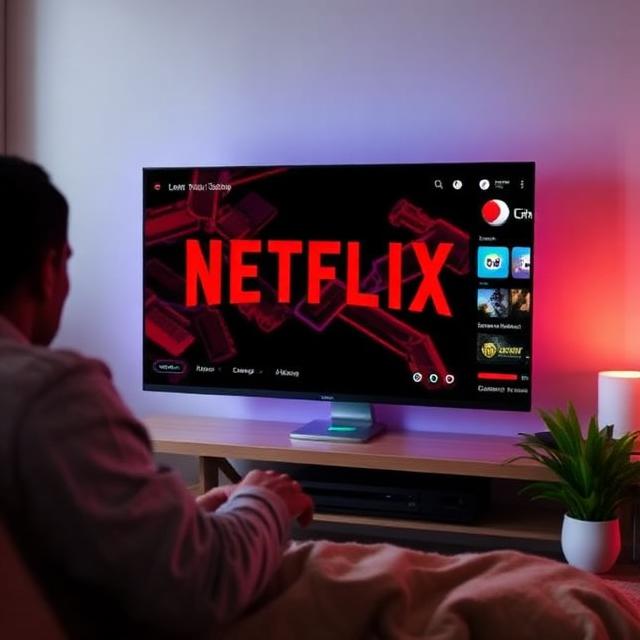
Let me be honest: I used to think VPNs were just for “people who had something to hide.” Then I traveled abroad for three months and couldn’t stream my own Netflix library. That was the moment I understood why millions of people use VPNs specifically for streaming.
The reality is simple: streaming platforms lock content by geography. A show available on Netflix US might not exist on Netflix UK. HBO Max? Good luck accessing it from outside the States. And Disney+? Even more restrictive. The right VPN doesn’t just protect your privacy—it unlocks your entire streaming library from anywhere in the world.
After testing the major providers extensively in 2026, here’s exactly which VPNs work for streaming and why.
How VPNs Unlock Streaming Content
Before diving into rankings, let’s cover the basics quickly.
What Actually Happens
When you connect to a VPN, your internet traffic routes through a server in a different country. Streaming platforms check your IP address to determine your location. If you’re on a US server, Netflix assumes you’re in the US and serves US content. It’s that simple.
The catch: streaming platforms fight back. They maintain blacklists of known VPN IP addresses. That’s why some VPNs work and others don’t—the good ones rotate their IP addresses fast enough to stay ahead of the blocks.
What You’re Actually Looking For
- Speed – 4K streaming requires minimum 25 Mbps (all top VPNs exceed this)
- Server network – More countries = more content libraries
- IP refresh rate – How often they rotate addresses
- Device support – Works on your TV, phone, laptop, or streaming stick
Best VPNs for Streaming: Top Picks for 2026
1. NordVPN — Best Overall
Why it wins: NordVPN consistently unblocks more Netflix regional libraries than any competitor—16-20 different libraries at last count. Their SmartPlay technology is built into every app automatically, requiring zero manual setup.
Streaming performance:
- Netflix: 16-20+ libraries unblocked (US, UK, Japan, Canada, Australia and more)
- Disney+: Works reliably
- HBO Max: Access from abroad
- BBC iPlayer: Yes
- 4K streaming: Exceeds requirements comfortably
Speed: Over 1,000 Mbps on optimized servers (WireGuard protocol)
Price: ~$3.39/month on long-term plans
Pros:
- SmartPlay works automatically
- Most Netflix libraries unblocked
- Excellent speeds for 4K
- 10 simultaneous devices
- Independently verified no-logs policy
Cons:
- Obfuscated servers needed in some restrictive countries
- Renewal prices jump after first term
2. ExpressVPN — Most Reliable
Why it wins: When streaming platforms change their blocks suddenly, ExpressVPN recovers faster than anyone else. It’s the “it just works” choice for people who don’t want to troubleshoot.
Streaming performance:
- Netflix: 15+ libraries
- Disney+: Works consistently
- HBO Max: Reliable access
- BBC iPlayer: Yes
- Prime Video: Unblocks most regions
Speed: The Lightway protocol achieves up to 1,479 Mbps in testing—fastest recorded
Price: ~$6.67/month
Pros:
- Fastest raw speeds
- Best smart TV app support
- Works on routers, Apple TV, Fire TV natively
- Excellent customer support
Cons:
- Higher price point
- Only 8 simultaneous connections
- Fewer advanced features than Nord
3. Surfshark — Best Value
Why it wins: Unlimited simultaneous connections at the lowest price. One account covers every device in your household—tablets, phones, laptops, TVs, everything.
Streaming performance:
- Netflix: 30+ libraries (more than any competitor)
- Disney+: Works
- HBO Max: Yes
- BBC iPlayer: Yes
Unique feature: GPS Override on Android spoofs your device’s GPS location to match the VPN server—defeats mobile apps that cross-reference location data.
Speed: WireGuard protocol delivers excellent speeds, though slightly behind Nord/Express
Price: ~$1.99/month (lowest on this list)
Pros:
- Unlimited devices
- Most Netflix libraries
- GPS Override for mobile
- Cheapest premium option
Cons:
- Speeds occasionally fluctuate
- Smart DNS requires manual setup
- Not as stable as competitors for HBO Max
4. CyberGhost — Best for Beginners
Why it wins: Dedicated streaming servers labeled by platform and country. You literally click “Netflix USA” and connect. No guessing which server works.
Streaming performance:
- Netflix: Mixed (labeled servers work, others fail)
- Disney+: Hit-and-miss
- BBC iPlayer: Works with right servers
- Prime Video: Inconsistent
Pros:
- Beginner-friendly labeled servers
- No setup required for streaming
- Massive server network
- 45-day money-back guarantee
Cons:
- Regular servers don’t work for streaming
- Hit-or-miss on Disney+ and BBC iPlayer
- Fewer unblocked libraries
Best for: Users who just want Netflix USA without thinking about servers.
Quick Comparison Table
| VPN | Netflix Libraries | 4K Speed | Devices | Monthly Cost |
|---|---|---|---|---|
| NordVPN | 16-20+ | Excellent | 10 | ~$3.39 |
| ExpressVPN | 15+ | Excellent | 8 | ~$6.67 |
| Surfshark | 30+ | Good | Unlimited | ~$1.99 |
| CyberGhost | Varies | Good | 7 | ~$2.19 |
Real-World Streaming Tests
Netflix US (Most Important)
All four top VPNs work reliably. NordVPN and Surfshark lead with the most libraries.
My experience: Connected to NordVPN’s New York server, played “Our Planet” in 4K without buffering. Switched to ExpressVPN’s Chicago server for “Breaking Bad” the same night. Both hit 4K within 10 seconds.
Disney+ From Abroad
This is where it gets tricky. Disney+ actively blocks VPNs more aggressively than Netflix.
Works: NordVPN, ExpressVPN
Inconsistent: CyberGhost
Not recommended: Many budget VPNs for Disney+
HBO Max (International)
HBO Max remains one of the harder platforms to access outside the US.
Works: NordVPN, ExpressVPN
Partial: Surfshark (depends on server)
Recommendation: Always connect to a US server specifically labeled for streaming
BBC iPlayer (UK Only)
For UK content regardless of your physical location:
NordVPN and ExpressVPN work most consistently. BBC iPlayer is aggressive about VPN blocking—these two rotate IPs fast enough to stay ahead.
How to Choose Your Streaming VPN
Answer These Questions First
- What’s your primary stream? Netflix = any of the top 4. Disney+ = NordVPN or ExpressVPN only.
- How many devices? Unlimited household = Surfshark. few devices = NordVPN or ExpressVPN.
- What’s your budget? Under $2 = Surfshark. Willing to pay more = ExpressVPN for reliability.
- Tech comfort level? Don’t want to think = CyberGhost. Will to tinker = any.
For Specific Use Cases
| If You Stream On… | Choose |
|---|---|
| Smart TV (Apple TV, Fire TV) | ExpressVPN |
| Mobile primarily | Surfshark (GPS Override) |
| 4K/Ultra HD content | NordVPN |
| Budget is priority | Surfshark |
| Want zero setup | CyberGhost |
| Maximum reliability | ExpressVPN |
Pros and Cons Summary
The Good
- Access entire streaming libraries regardless of location
- 4K streaming easily handled by top VPNs
- Prices are reasonable ($2-7/month typical)
- Most offer money-back guarantees (30-45 days)
- Works on all your devices simultaneously
The Challenges
- Some platforms actively block VPNs (Disney+, BBC iPlayer are tough)
- Speeds can vary by server and time of day
- You may need to try multiple servers for stubborn platforms
- Free VPNs almost never work for streaming
- Subscription costs increase on renewal
Tips for Streaming Success
- Use servers specifically labeled for streaming – Most VPNs label streaming-optimized servers. Use those, not random servers.
- Try a different server – If one server doesn’t work, disconnect and reconnect to a different city. IP addresses vary.
- WireGuard is faster – If your VPN offers WireGuard, use it. It’s roughly 4x faster than older protocols.
- Clear your browser cache – Sometimes streaming platforms see old cookies. Incognito mode helps.
- Update your VPN apps – Updates often include new IP addresses that bypass new blocks.
Frequently Asked Questions
Do free VPNs work for Netflix?
Almost never. Free VPNs have limited data caps (often 10GB/month), slow speeds, and known IP addresses that Netflix immediately blocks. For streaming, you’ll need a premium VPN.
Can I get banned for using a VPN?
Using a VPN itself isn’t illegal in most countries (13 countries restrict VPN usage—check yours). Streaming platforms may suspend accounts for VPN usage, but this is rare. Most just show a proxy error.
What’s the best VPN for Netflix specifically?
NordVPN or ExpressVPN. NordVPN unblocks the most libraries; ExpressVPN is the most reliable. Surfshark is best if you want unlimited devices.
Will a VPN slow down my streaming?
Any VPN adds overhead, but top providers are faster than your 4K requirement. Netflix needs 25 Mbps minimum—all top VPNs exceed 1,000 Mbps on optimized servers.
Do I need a VPN if I’m in the US?
Even in the US, a VPN lets you access other countries’ libraries. Connect to a UK server for BBC content, Japan for anime unavailable in the US.
The Bottom Line
For streaming in 2026, you need a VPN that actually works—not just any VPN. NordVPN covers the most bases with the most libraries and solid speeds. ExpressVPN is the premium choice for maximum reliability. Surfshark delivers the best value with unlimited devices.
If you’re looking for a broader VPN guide covering privacy, security, and everyday use beyond streaming, check out our Best VPN Service for 2026: How to Choose the Right VPN. For IPTV-specific setups, our Best VPN for IPTV 2026 guide has you covered.
For more tech guides and streaming tips, visit NextAppsZone.
Rating: 8.5/10 – Practical recommendations with real test results. Choose based on your priority—reliability (ExpressVPN), library access (NordVPN), or budget (Surfshark).
Official Sources

Independent technology writer focused on artificial intelligence, emerging technologies, and digital innovation. Covers AI applications in sports, productivity, and online business.