










































Every hardware comparison for AI agents starts with a FLOPS number, and nearly all of them stop there. That number is usually wrong for the workload, and the part that is genuinely hard rarely gets mentioned.
Here is the version you have probably read somewhere. Agent workloads are new, so they need new hardware, so if you are still on last generation’s cards you are leaving performance on the table. That was a fair argument in 2024. It is a weak one now, for a reason that has nothing to do with how fast any chip is.
The reason is that an agent is not one inference call. It is a chain of them, and the chain changes what the hardware is actually doing.
What agentic workloads actually stress
A conventional inference benchmark sends independent prompts with a fixed input and output length. You pick a request rate, the system serves it, someone reports tokens per second.
An agent does something structurally different. MLCommons spelled this out when it brought agentic inference into MLPerf in July 2026. Four properties break the old model.
Context grows across the trajectory. Every turn resends the conversation history up to that point. By turn sixty, prefill cost is dominated by material the system already processed once, and KV-cache pressure climbs the entire time.
Prefixes repeat. The same system prompt and tool definitions ride along on every turn. Whether those hits land in HBM, spill to host memory, or get recomputed is among the largest single performance factors in the stack.
Output length swings. A tool call might be 30 tokens. A reasoning trace might be 4,000. Any benchmark that fixes output length is measuring traffic agents do not produce.
Turns are dependent. The next request often cannot start until the previous one finishes and the tool call returns. Throughput stops being requests per second and becomes closed-loop progress.
MLCommons added a fifth wrinkle: parallel subagents, which fan out into overlapping branches and then join. The load is a dependency graph, not a queue.
None of this is exotic. It is just traffic a fixed-sequence benchmark was never built to represent.
The metric is a Pareto frontier, not a number
If a single tokens-per-second figure cannot describe a fixed-sequence benchmark, it certainly cannot describe an agent deployment. The field has converged on reporting a curve instead, and it is worth knowing what the axes mean before you buy anything.
The x-axis is output tokens per second per user, which is how quickly one agent gets through its own task. The y-axis is output tokens per second for the whole system, which is total work across every active agent. Time to first token sits alongside both.
Moving right means faster completion for an individual agent. Moving up means more aggregate work. Raising concurrency pushes you up and to the left, and somewhere past the knee, interactivity collapses. AgentX from SemiAnalysis reports it this way, and its methodology note is blunt about the consequence: one latency value does not describe the run.
The practical upshot is that “our box does X tokens per second” is not a procurement argument. What you need is where your workload sits on that curve, and which direction you are willing to trade.
GB300 versus B200: a narrower gap than the marketing implies
This is where the standard narrative breaks.
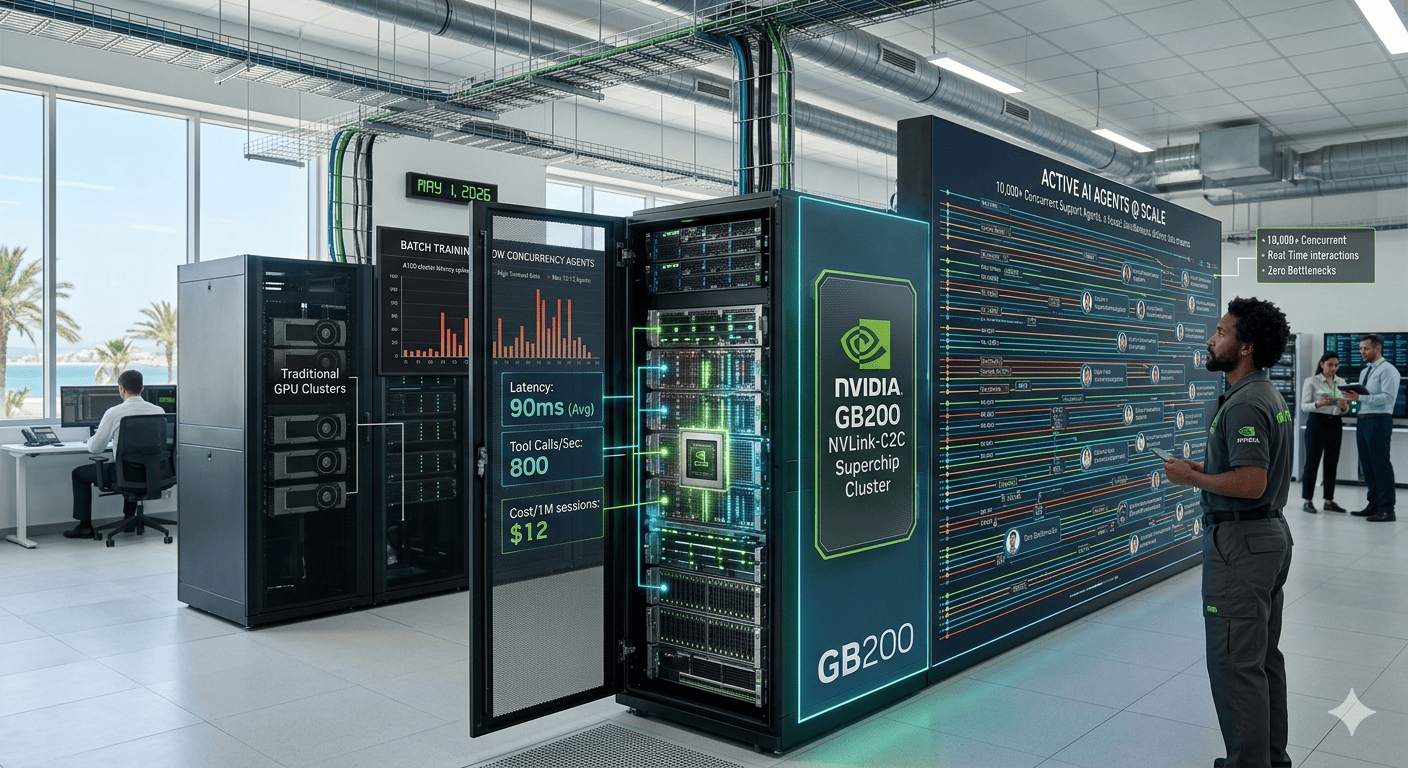
SemiAnalysis ran real serving stacks under 384 concurrent agentic traces comparing B200 and B300. Normalized for total cost of ownership, their conclusion is that aggregated performance is quite similar. The genuine difference is that B300 carries 50% more HBM capacity, which lets it squeeze out extra throughput.
That is a real upgrade. It is not the several-fold jump that “next generation” usually implies, and anyone selling you a rack on generation grounds alone is overselling it.
What the same exercise did find is more telling. On B300 using vLLM disaggregated serving with 3TB of host memory for offloading, the HBM KV-cache hit rate reached 91%, with a further 1.36% served from DRAM. The live working set was roughly 43 million tokens. That is the figure that decides whether a deployment feels fast, and no quantity of extra FLOPS rescues a cache that misses.
Rubin, where the actual jump is
The generational gap people were looking for in Blackwell Ultra arrives with Vera Rubin.
Rubin NVL144 is quoted at 3.6 exaflops of NVFP4, which NVIDIA describes as 3.3 times GB300 NVL72, alongside 1.4 PB/s of HBM4 bandwidth (2.5x) and 75TB of HBM4 (2x). The denser CPX configuration reaches 8 exaflops, which the company puts at 7.5 times current generation, targeting end of 2026.
Early MLPerf results line up with the spec sheet. In the v6.1 round published on 16 September 2026, Rubin’s first submission delivered up to 3.7 times the throughput of GB300 NVL72 on Qwen3-VL and up to 2.5 times on DeepSeek-R1. GB300 itself improved up to 1.6 times over its own v6.0 numbers, and almost entirely from software work: lower KV-cache precision, additional kernel fusion, and disaggregated serving.
Read those two facts next to each other. One hardware generation moved a great deal. One round of software tuning moved nearly as much, on silicon that already existed.
One more procurement detail: NVIDIA is shipping on roughly a 12-month cadence now, with Rubin this year and Rubin Ultra the year after. Any decision you make is a decision about where you sit on that line, not about whether the current part is fast.
The cache is the product
The most useful result in the AgentX work is not a hardware ranking. It is a bug.
During agentic serving optimisation, one configuration was found where a 127,500-token shared-prefix test returned 2 correct needles out of 128. The KV cache was silently landing in the wrong places. The broken version was faster, because a wrong answer is cheap to produce. A throughput benchmark would have scored it as a win.
That is the argument for agent-specific benchmarks in a single sentence. For one isolated request, a misbehaving cache is a rare edge case. Across a sixty-turn trajectory the cache is the workload, and “it returned quickly” and “it returned correctly” come apart.
It also gives capacity planning a concrete form. You need enough HBM to hold live session state, and you need to know your hit rate, because a deployment thrashing to host memory pays an interconnect for every token it could have read on-die.
Software still beats silicon more often than buyers expect
The same benchmarking work keeps turning up gains that are not about hardware at all.
Passing context length into the runtime as a scalar, rather than recompiling a kernel per length, raised output throughput 26.75% and cut mean time to first token 36.25% at concurrency 384. Nothing was computed faster. The system simply stopped recompiling itself.
Removing prompt transfers that never entered a forward pass produced 18% more per-user output throughput and 12.7% more decode throughput per GPU. Moving a bootstrap query off the scheduler’s critical path then added another 1.36%.
None of that required new silicon. If you are weighing hardware generations, it is worth spending comparable effort on your serving configuration first, because the current generation gap measures in single-digit percentages and the configuration gap measures in tens of percent.
For a worked example of where the real work sits, NVIDIA’s own deployment of agentic workflows across HR, finance and marketing is worth a look. So is our coverage of how agentic AI changes what happens inside the data center.
How to size for your own workload
Skip the generation comparison and answer four questions.
- What is your live KV-cache working set? Measure it in tokens at peak concurrency, not on average. That number sets your HBM requirement. SemiAnalysis’s own B300 configuration sat near 43 million tokens.
- What is your cache hit rate, and where do the misses go? HBM, host memory, or recompute. Recompute misses are the expensive kind.
- Where do you sit on the interactivity curve? Decide whether you are optimising for one agent getting an answer fast or many agents clearing a queue. You cannot maximise both.
- What does your turn dependency graph look like? If tool calls dominate, the bottleneck may be your tool layer rather than your GPUs.
If you are on current-generation hardware that is not Blackwell at all, the economics of GPU memory are worth understanding before writing a cheque. The argument in why the most interesting chip is not the most powerful one holds up: for plenty of deployments the wall is memory, and compute does not clear it.
When not to buy any of this
Most teams reading this should not change hardware at all.
If you are on last generation’s data centre cards, your stack is mature, and your hit rate is fine, Blackwell Ultra is a reasonable place to be. NVIDIA’s partners describe GB300 as a current platform rather than a dead one, and Rubin partner availability only began in the second half of 2026. There is no prize for taking the newest rack on the day it lands.
Three arguments genuinely favour waiting.
- Your agent traffic is not concurrency-bound. A handful of users does not need a Pareto frontier. It needs a decent machine and patience.
- Your cache hit rate is already high and your working set is small. You are not memory-bound, so the memory argument does not apply to you.
- Nobody on the team has measured latency percentiles. Until p90 interactivity means something concrete in your product, a faster box is an unfalsifiable purchase.
The teams that should look at Rubin are the ones running long-horizon coding agents, large shared system prompts, or multi-tenant workloads where the working set genuinely reaches tens of millions of tokens. For everyone else the honest conclusion is that the bottleneck is usually the stack rather than the silicon, and no generation of hardware fixes a serving configuration nobody has profiled.
Sources
- NVIDIA, “Vera Rubin NVL72 Delivers Leading Performance in MLPerf Inference v6.1 Debut,” 16 September 2026.
- MLCommons, “Agentic Inference for MLPerf Inference,” 8 July 2026.
- SemiAnalysis InferenceX, AgentX benchmark and methodology documentation, August 2026.
- SemiAnalysis, “AgentX – InferenceXv3: Does the CUDA Moat Hold Up in Agentic Inferencing?,” 24 August 2026.
- NVIDIA AI Infra Summit 2025 roadmap briefing, coverage via StorageReview, 10 September 2025.
- The Verge, “Nvidia announces Blackwell Ultra GB300 and Vera Rubin,” 18 March 2025.

Independent technology writer focused on artificial intelligence, emerging technologies, and digital innovation. Covers AI applications in sports, productivity, and online business.



