




































Let’s be real for a second.
You’ve probably signed up for three “game-changing” AI tools this year alone. And two of them? Total duds. Maybe the third one is okay, but you’re not even sure.
Here’s the thing nobody says out loud: most new artificial intelligence tools are not ready for actual work. They’re shiny. They sound smart. But put them under pressure — real deadlines, weird edge cases, your specific data — and they crumble.
So how do you assess an AI tool before you waste a month and another $29/month?
That’s exactly what we’re solving today. No fluff. No “top 10 lists” written by someone who never clicked a single button.
Why Most People Fail at Evaluating AI Tools
They fall for magic.
You see a demo video. The AI writes a perfect email. Summarizes a 50-page report. Generates beautiful images. And you think: “Wow, this will save me 10 hours a week.”
Then you actually use it.
The email sounds robotic. The summary misses the main point. The images have six fingers.
The problem isn’t you. The problem is the way we’re taught to evaluate tools. We look at best-case scenarios instead of real-case scenarios.
So let’s flip that.
The 3-Question Litmus Test (Before You Even Sign Up)
Before you enter your email, ask yourself three things. Seriously. Write them down.
1. What specific task will this replace?
Not “help with writing.” Not “assist with research.”
Which task? “Drafting cold outreach emails” is good. “Writing my weekly team update” is better.
If you can’t name one single, repeatable task — stop. You’ll use it twice and forget it.
2. What happens when it’s wrong?
This is the question almost nobody asks.
If your AI writing tool messes up a blog post? Annoying, but fine.
If your AI code assistant breaks production? Now we have a problem.
Match the risk to the tool. Don’t use a cheap AI for something expensive.
3. Can I test it with my real mess?
Not their clean demo data. Not “sample inputs.”
Your actual messy spreadsheet. Your badly written notes. Your industry jargon.
If the tool can’t handle your noise during the trial, it won’t handle it after you pay.
Expert Tip: Run the same exact task through three competing AI tools side by side. Don’t trust memory. Copy-paste the same prompt. You’ll see differences immediately — and usually one tool is noticeably worse.
The 2-Day Assessment Method (Practical Guide)
You don’t need a month. You need two days and a plan.
Day 1: Break It on Purpose
Most people try to make the AI succeed. That’s backwards.
Try to make it fail.
- Give it unclear instructions.
- Use typos.
- Ask for something contradictory.
A good AI tool handles ambiguity with grace. A bad one melts down or, worse, gives you confidently wrong answers.
Example:
I tested an AI scheduling assistant once. I said: “Schedule a meeting with John sometime next week, but not Tuesday because that’s when I do deep work, and also not after 3 PM any day, unless it’s Thursday. Actually just pick the best time.”
The good tool asked one clarification question. The bad tool replied: “Okay, I’ve scheduled Tuesday at 4 PM.” (Wrong on two counts.)
Day 1 tells you: does this tool think, or just pretend?
Day 2: The Annoying Repetition Test
Do the same task ten times. Exactly the same input.
AI should be consistent. Not perfectly — small variation is fine. But if it gives you wildly different quality each time, you can’t rely on it.
Run a product description prompt. Write down the first sentence it generates each time.
If three of them are great, three are okay, and four are garbage… that’s not a tool. That’s gambling.
Common Mistakes People Make (I’ve Made Every Single One)
Let me save you some pain.
❌ Mistake 1: Trusting the “Try for free” period too much
You test casually. You forget to cancel. Then you see the charge and think “Well, maybe I’ll use it more next month.” You won’t. Cancel immediately after testing. You can always rejoin.
❌ Mistake 2: Ignoring the output speed
An AI that takes 15 seconds per response feels fine alone. In a real workflow? It’s torture. Speed is a feature.
❌ Mistake 3: Not checking the refund policy
Some AI tools have famously bad refunds. “We offer a 7-day refund… if you use less than 10 generations.” That’s not a refund. That’s a trap.
❌ Mistake 4: Forgetting about your team
If you’re buying for a team, test with the least technical person. Not the power user. If they can’t figure it out, nobody will use it.
My honest opinion: Most AI reviews online are useless because the reviewer used the tool for 20 minutes. That’s like judging a car by sitting in it without driving. You need repetition. You need boredom. That’s when flaws show up.
The Hidden Cost Nobody Talks About
Even a good AI tool has a cost you don’t see on the pricing page: your attention.
Every new tool adds mental overhead. Another login. Another tab. Another “where did I save that output?”
So when you evaluate, ask: Does this tool save more mental energy than it consumes?
A clunky but powerful AI might still be worth it. A beautiful but useless one? Never.
Real-World Example: How I Almost Bought the Wrong Tool
Last year I needed an AI meeting notetaker. Everyone raved about one popular tool. Beautiful UI. Great marketing.
I tested it on my messy team meetings. We interrupt each other. We switch topics randomly. We mumble.
The tool failed. It assigned half the comments to the wrong person. It hallucinated action items we never discussed.
Then I tried a less-hyped competitor. Ugly interface. But it had a feature: you could manually correct transcriptions, and the AI learned.
That ugly tool saved my team 5 hours a week.
The lesson? Marketing does not equal quality. Assessment beats hype every time.
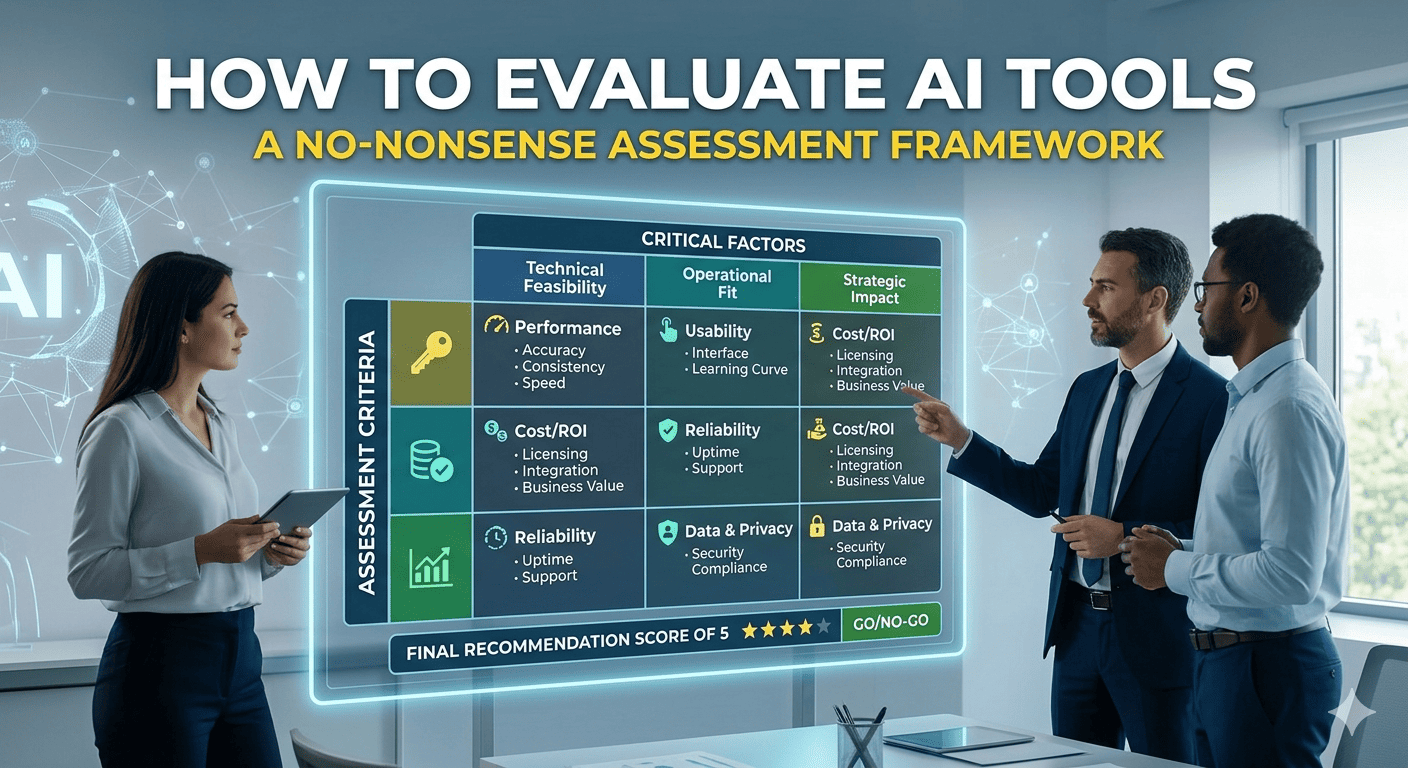
Your 5-Point Assessment Scorecard
Print this. Use it for every new AI tool.
| Criteria | Question | Score (1-5) |
|---|---|---|
| Task fit | Does it solve one specific task I actually do? | |
| Error handling | Does it fail gracefully or dangerously? | |
| Speed | Is it fast enough for real work? | |
| Consistency | Same input = similar output quality? | |
| Mental overhead | Does it feel like a burden to use? |
If a tool scores below 3 in any category — walk away.
FAQ
How long should I really test an AI tool before buying?
Two focused days. Not calendar days. Days where you actively try to break it. Most flaws appear in the first 10–20 serious uses.
Are free AI tools ever worth it?
Yes — but only for low-stakes, non-repetitive tasks. Free tools change features randomly, have terrible support, and often shut down. Don’t build a workflow around them.
What’s the biggest red flag in an AI tool’s website?
If every review is 5 stars and none mention specific flaws — run. Real tools have trade-offs. Fake reviews don’t.
Can an AI tool get worse over time?
Absolutely. Some companies downgrade the free model after launch. Rerun your 2-day test every 6 months. Seriously.
Which AI tool is actually worth paying for right now?
I won’t name one because it depends on your job. But the tool that survives your 2-day test? That’s the one.
Internal Links (Contextual)
- Read next: 5 Red Flags That Mean an AI Tool Is Wasting Your Money (supporting article 1)
- Get the printable checklist: The 10-Minute AI Tool Testing Checklist (supporting article 2)
- See real failures: Why Most New AI Tools Fail at Basic Tasks (supporting article 3)
External Sources (Suggested for Authority)
- “AI Incident Database” – real failures of AI tools in production.
- “Fast.ai Practical Deep Learning” – understanding model limitations without hype.

Independent technology writer focused on artificial intelligence, emerging technologies, and digital innovation. Covers AI applications in sports, productivity, and online business.