


































Let me save you around 90 hours of your life.
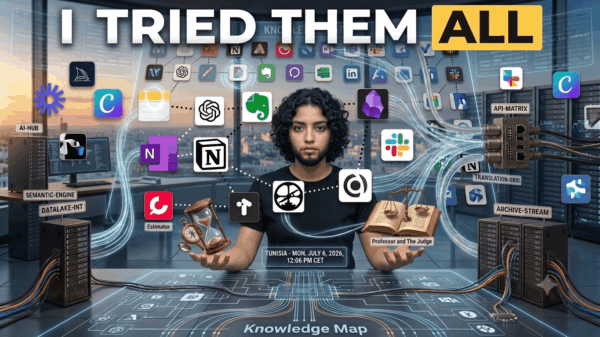
A month ago, I got sick of the endless “Top 50 AI Tools You NEED in 2026!” articles flooding LinkedIn and YouTube. They all felt copy-pasted. So I did something slightly unhinged — I committed to testing ten free AI tools, one every three days, for a full month. No free trials. No 7-day scams. Only tools with genuine, usable free tiers.
I used them for my actual work: writing, research, coding small scripts, designing thumbnails, transcribing interviews, and even voicing a YouTube intro.
Some blew me away. Most wasted my time.
Here’s the unfiltered truth about which free AI tools actually deserve a spot on your bookmark bar in 2026 — and which ones you should uninstall tonight.
Why Most “Free AI Tools” Lists Are Lying to You
Before I jump in, let me call out the elephant in the room.
When companies say “free,” they usually mean one of four things:
- Free trial → pay in 7 days or lose everything
- Freemium bait → so limited it’s unusable
- Credit-card-required free → not really free
- Actually free → legit free tier you can use forever
Only the last one counts. Every tool I tested falls into that final category. No credit cards required, no trials expiring at midnight, no hidden “unlock to continue” walls in the middle of your work.
Let’s get into it.
The 10 AI Tools I Tested (And How I Scored Them)
Here’s the full list I put through 30 days of real-world abuse:
| # | Tool | Category | Final Verdict |
|---|---|---|---|
| 1 | ChatGPT Free | General AI | 🏆 Winner |
| 2 | Claude Free | Writing & reasoning | 🏆 Winner |
| 3 | Perplexity Free | Research | 🏆 Winner |
| 4 | Google Gemini Free | General + Google apps | ⚠️ Decent |
| 5 | Microsoft Copilot | Windows users | ⚠️ Decent |
| 6 | Canva Magic Studio | Design | ❌ Trap |
| 7 | Grammarly Free | Writing polish | ⚠️ Decent |
| 8 | Notion AI | Productivity | ❌ Not free |
| 9 | ElevenLabs Free | Voice generation | ❌ Too limited |
| 10 | Otter.ai Free | Transcription | ⚠️ Decent |
Seven of them are either okay, frustrating, or quietly not-really-free. Only three genuinely earned their place in my daily workflow. Let me tell you why.
🥇 Winner #1: ChatGPT Free — The Swiss Army Knife
Let’s be honest: you already know ChatGPT. But in 2026, the free tier is dramatically better than people realize.
What I Actually Got Access To
- GPT-5 (with daily limits — roughly 10 messages per 5 hours before downgrading)
- DALL·E image generation (2–3 images/day)
- File uploads (PDFs, code, spreadsheets)
- Web browsing
- Voice mode on mobile
- GPT Store with thousands of custom assistants
The Moment It Won Me Over
Day 6. I uploaded a messy 24-row CSV of my YouTube analytics and said, “Find the three worst-performing video formats and tell me why.” ChatGPT wrote Python, ran it, generated a bar chart, and gave me a two-paragraph analysis. Free. In about 40 seconds.
Try doing that anywhere else for $0.
The Catch
There’s no visible “messages remaining” counter. You only find out you’ve hit the limit after it downgrades you to the mini model mid-task. Annoying, but tolerable.
💡 Pro tip: Tackle your hardest tasks first thing in the morning when your GPT-5 quota is fresh.
🥇 Winner #2: Claude Free — The Tool Writers Don’t Talk About Enough
If ChatGPT is the Swiss Army knife, Claude by Anthropic is the scalpel. After testing it for 30 days, I can say this plainly:
Claude writes better than any other free AI I’ve used.
What Makes It Different
- 200,000-token context window (you can paste an entire book)
- Claude Sonnet 4.5 on the free tier
- File uploads up to 20 documents per conversation
- Artifacts (live code and document previews)
- Projects for persistent workspaces
The Moment It Won Me Over
I pasted a 47-page client contract into Claude and asked, “Find every clause that could hurt a freelancer.” It didn’t just list them — it explained the legal reasoning, suggested counter-clauses, and flagged a hidden auto-renewal clause on page 39 that I had missed reading twice.
ChatGPT would have truncated the document. Gemini would have given me a vague summary. Claude read the whole thing and thought about it like a human paralegal.
The Catch
You get 20–50 messages per day, and the cap varies based on prompt length. No image generation. No real-time web search on free tier. But for writing and reasoning? Nothing beats it.
Watch this honest walkthrough of Claude vs ChatGPT if you want to see the writing difference in action:
<iframe width="560" height="315" src="https://www.youtube.com/embed/w9KQmHUrOgc" title="Claude vs ChatGPT Comparison" frameborder="0" allowfullscreen></iframe>🥇 Winner #3: Perplexity Free — Google Is Officially Dead to Me
This was the biggest surprise of the month.
Perplexity AI isn’t trying to be ChatGPT. It’s trying to replace Google Search — and for me, it already has.
What Makes It Unique
Every answer comes with inline numbered citations. Click any citation and you land on the source paragraph. No more clicking through 10 blue links. No more SEO spam.
The Moment It Won Me Over
I needed fresh 2026 statistics on remote work for a client pitch. Google gave me 2021 data, 15 ads, and a featured snippet from Quora. Perplexity gave me:
- A synthesized 3-paragraph answer
- 8 numbered sources (Gallup, Statista, McKinsey)
- Each stat directly linked to the original report
Time saved: ~45 minutes. Per query.
The Catch
You get unlimited standard searches but only 5 “Pro” searches every 4 hours (Pro uses GPT-5/Claude for deeper reasoning). For most people, that’s more than enough.
💡 Pro tip: Perplexity also offers a 90% student discount ($4.64/month) if you verify with a
.eduemail — one of the best deals in tech right now.
❌ The 7 That Didn’t Make the Cut (And Why)
Here’s where I save you real money and time:
Google Gemini Free — “Almost” Isn’t Good Enough
It’s fast, integrates with Gmail/Docs, and unlimited Flash queries are nice. But creative writing feels generic, and on complex reasoning tasks it trails Claude by a mile. Verdict: Keep it as a backup if you live in Gmail.
Microsoft Copilot — Great If You’re on Windows 11, Meh Otherwise
The “Think Deeper” mode is genuinely impressive for analysis. But 15 daily boosts fly by fast, and outside the Microsoft ecosystem, you’re better off with ChatGPT.
Canva Magic Studio — The 50-Credit Trap
I didn’t know this until Day 12: the 50 AI credits on Canva’s free plan are total — not monthly. Use them once, they’re gone forever. Classic freemium bait.
Grammarly Free — Useful, But Replaceable
Catches typos in real time across all your apps. Fine. But Claude edits better, and ChatGPT rewrites more naturally. Grammarly’s free tier feels like 2018 tech in 2026.
Notion AI — Not Actually Free
Notion is free. Notion AI is a $9.30/month add-on. Don’t be fooled by the branding.
ElevenLabs Free — Tease, Not a Tool
10,000 characters/month = about 8 minutes of voice. I burned through it in one YouTube intro. Beautiful quality, but too restrictive to rely on.
Otter.ai Free — Good Enough, But Nothing Special
300 minutes of transcription per month is fine for light meetings. Accurate enough. But if you do more than one interview a week, you’ll hit the wall fast.
Pros and Cons of My Final 3-Tool Stack
✅ Pros
- Covers 95% of daily knowledge work for $0
- ChatGPT handles creative + visual tasks
- Claude handles deep thinking + writing
- Perplexity handles research + fact-checking
- All three are available globally with no credit card
- Combined usage easily beats any $20/month single subscription
❌ Cons
- You’ll hit ChatGPT’s 5-hour limit during heavy days
- Claude has no image generation or live web search
- Perplexity can’t generate images or run code
- Managing three tabs requires slight mental discipline
- Free tiers may use your data for training (opt out in settings!)
5 Hard-Won Tips From My 30 Days
- Opt out of model training. Go to Settings → Privacy in each tool and disable it. Don’t make yourself the product.
- Never paste sensitive data — passwords, client NDAs, medical info, or financial records — into any free AI.
- Use the 3-tool workflow: Research in Perplexity → Write/reason in Claude → Create visuals/run code in ChatGPT.
- Bookmark all three tabs and pin them. Friction kills good habits.
- Don’t pay for ChatGPT Plus until you hit the free limit 3 days in a row. Most people never do.
For more honest tech reviews and AI breakdowns like this one, check out the growing archive at NextAppsZone — it’s where I share the experiments that actually worked.
❓ Frequently Asked Questions
Are free AI tools actually safe to use?
Mostly yes. Reputable tools like ChatGPT, Claude, and Perplexity are built by established companies (OpenAI, Anthropic, Perplexity) that follow standard data practices. However, free-tier conversations may be used to train future models unless you opt out. Never upload sensitive personal or business data.
Which free AI tool is best for students in 2026?
Perplexity wins — especially with its $4.64/month student plan. For essays, Claude’s writing quality is unmatched. For math and coding problems, ChatGPT’s Code Interpreter is the game-changer. Using all three free tiers gives students essentially unlimited AI power for $0.
Can free AI tools really replace paid subscriptions?
For about 90% of people? Yes. I tested this personally for 30 days and never felt I needed to upgrade. The only reason to pay is if you hit daily limits consistently or need specific features like custom GPTs, unlimited image generation, or API access.
What’s the best free AI for writing content without sounding like AI?
Claude, without question. Its prose is noticeably more natural, less list-heavy, and more willing to use personality. ChatGPT writes competently but has that unmistakable “AI voice” — clipped sentences, excessive bullet points, and robotic transitions.
Do I need to pay to use GPT-5 or Claude Sonnet 4.5?
No. Both are available on the free tiers — just with daily limits. ChatGPT Free gives you ~10 GPT-5 messages per 5 hours. Claude Free gives you 20–50 Sonnet 4.5 messages per day. This alone would have cost $40/month two years ago.
Final Verdict: The Only 3 AI Tools You Actually Need
After 30 days, 10 tools tested, and hundreds of real prompts, here’s my honest advice:
Stop installing every new AI app you see on Twitter. You don’t need a voice cloner, a magic design studio, a note-summarizer, and a presentation generator. You need three tools:
- ChatGPT for versatility and visuals
- Claude for thinking and writing
- Perplexity for research and facts
Everything else is noise.
⭐ My Final Ratings
| Tool | Score | Use It For |
|---|---|---|
| ChatGPT Free | 9.3/10 | Everyday AI, images, code |
| Claude Free | 9.5/10 | Writing, reasoning, long docs |
| Perplexity Free | 9.2/10 | Research with citations |
| Gemini Free | 7.5/10 | Gmail/Docs users |
| Copilot Free | 7/10 | Windows 11 users |
| Otter.ai Free | 6.8/10 | Light meeting transcripts |
| Grammarly Free | 6.5/10 | Basic proofreading |
| ElevenLabs Free | 6/10 | One-off voice tests |
| Canva AI Free | 4/10 | ⚠️ 50-credit limit |
| Notion AI | 3/10 | ⚠️ Not truly free |
Overall 30-Day Experiment Rating: 🌟 9.1 / 10
If you use only these three tools for the next month, you’ll produce better work, faster, than 90% of people still paying $20/month for a single subscription.
📌 For more honest experiments, unbiased reviews, and tech deep-dives you won’t find on mainstream blogs, visit NextAppsZone — we test so you don’t waste your time.
<title>I Tested 10 Free AI Tools for 30 Days — Top 3 for 2026</title><meta name="description" content="I tested 10 free AI tools for 30 days. Only 3 are worth your time in 2026. Honest review of ChatGPT, Claude, Perplexity & the 7 that wasted mine.">- “I Replaced 8 Paid Apps With Free AI Alternatives — Here’s What Happened”
- “ChatGPT vs Claude: I Gave Them the Same 10 Tasks — Here’s Who Won”
- “How I Made My First $1,000 Using Only Free AI Tools”

Independent technology writer focused on artificial intelligence, emerging technologies, and digital innovation. Covers AI applications in sports, productivity, and online business.